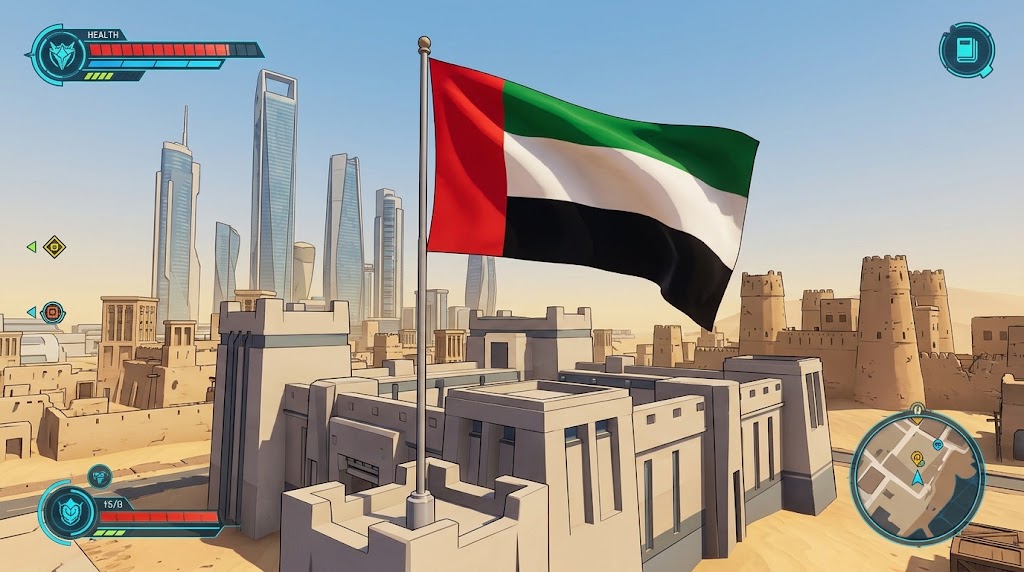
Integrating the Flag of the United Arab Emirates into a video game can ground a project in an authentic regional identity. Whether you are building a high-octane racing circuit through Dubai, designing an esports stadium in Abu Dhabi, or creating an open-world environment, using national symbols accurately enhances realism and builds trust with regional players.
Beyond digital assets, modern game launches and esports tournaments frequently extend their visual identity into physical spaces. Utilizing clean, high-resolution flag graphics digitally and sourcing professional display materials physically ensures a seamless presentation from screen to stage.
Why Use the UAE Flag in Video Games?
A national flag communicates location, culture, and context instantly without requiring exposition. Players recognize the red, green, white, and black design immediately, allowing developers to establish local settings effortlessly across multiple genres:
- Racing Games: Decorating trackside grandstands, podium areas, and vehicle liveries.
- Sports Simulations: Representing local clubs, national teams, tournament brackets, and stadium banners.
- Open-World & Action Games: Detailing government architecture, embassies, public plazas, and military-inspired vehicles.
- Simulation & Strategy Titles: Marking territory, regional hubs, or city-building milestones.
- UI & Esports Displays: Enhancing leaderboards, player profile cards, match HUDs, and flag-selection menus.
Technical Considerations for Digital Flag Assets
To ensure high visual quality and optimal engine performance across consoles, PCs, and mobile devices, developers should follow standard technical asset workflows.
1. File Formats & Resolutions
- Vector Formats (.SVG): Ideal for UI elements, HUD badges, scalable menus, and 2D vector art. Vectors scale infinitely without pixelation.
- Raster Formats (.PNG, .TGA): Essential for 3D engine textures. Use uncompressed PNGs or TGAs with an alpha channel (transparency) for clean edges.
- Texture Maps: For realistic 3D flags, combine a diffuse/albedo map with normal maps (for fabric weave and ripples), roughness maps, and opacity maps.
2. Resolution & Optimization
- Large World Assets (Banners, Flagpoles): Use 2K ($2048 \times 2048$) or 4K ($4096 \times 4096$) textures to maintain clarity when players look closely.
- Small Assets & Character Patches: Limit to $512 \times 512$ or $256 \times 256$ pixels to conserve VRAM.
- Mipmapping & Performance: Always enable mipmaps in your game engine (Unreal Engine, Unity, Godot) to prevent aliasing shimmering when viewing flags from a distance.
Designing for Character & Vehicle Customization
When applying the UAE flag to character uniforms, tactical vests, helmets, or racing cars, proper placement and proportions are critical:
- Avoid Distortion: Ensure UV maps do not stretch or skew the flag along rounded surfaces like shoulder pads or vehicle doors.
- Dynamic Physics: For cloth simulation on capes, banners, or handheld flags, apply appropriate vertex weighting and wind parameters so the flag moves naturally without clipping through environmental geometry.
- Legibility in Motion: Keep background contrast high around character patches so the flag remains recognizable during fast-paced gameplay.
Cultural Integrity & Best Practices
Using national symbols respectfully protects your game’s reputation and ensures smooth regional distribution:
- Correct Proportions: The official UAE flag has a height-to-length ratio of $1:2$. The vertical red bar occupies the hoist side (left) and covers $1/4$ of the flag’s length, while the green, white, and black horizontal bands are equal in width.
- Unobscured Placement: Avoid placing UI text, crosshairs, or secondary logos directly over the national flag in a way that obscures its visual identity.
- Brand Separation: Keep game logo branding separate from the national flag; do not alter the flag’s colors, striping, or structure to match a fictional game faction.
Bridging Digital Games with Physical Events
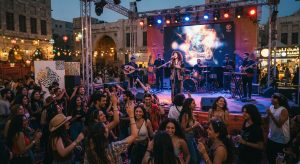
Promoting a UAE-themed game update, esports tournament, or physical launch requires strong environmental branding. Physical displays create a unified experience for players, attendees, and stream viewers.
Event Application Areas
- Stage backdrops and stream backdrops
- Exhibition booths and demo stations
- Directional venue signage and entrance banners
- Trophy podiums and media photo walls
Physical Branding & Printing Solutions
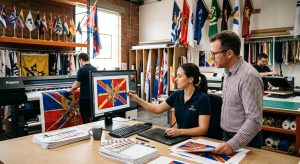
For developers, publishers, and event planners organizing physical gaming events across the region, Multi Flag Advertising Gift LLC provides professional flag displays, large-format printing, custom banners, and exhibition materials tailored for UAE venues.
Additionally, for specialized corporate signage and custom display setups, developers can explore Izra UAE, a UAE-based signage and advertising gift provider specializing in custom visual branding.
Summary Checklist for Developers
| Category | Best Practice |
| Proportions | Maintain official $1:2$ ratio with equal green, white, and black horizontal stripes. |
| UI Integration | Use .SVG or crisp .PNG files with transparent backgrounds. |
| 3D Rendering | Pair diffuse maps with normal and roughness maps for realistic cloth shading. |
| Optimization | Apply proper texture compression (BC1/BC3 or ASTC) and enable mipmapping. |
| Physical Events | Coordinate digital assets with high-quality physical banners and exhibition displays. |